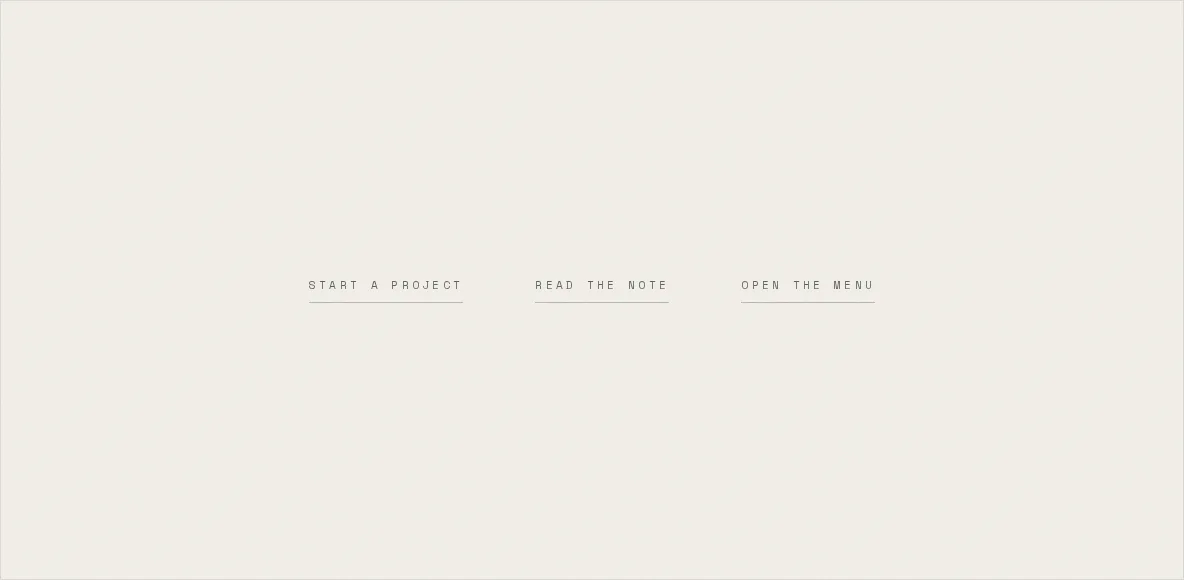
A magnetic button is three lines of arithmetic, and everything that makes it feel right is in the fourth.
The maths is the cursor's offset from the element's centre, scaled down, written to x and y. Anyone can produce that in a minute. In the minute after that, they discover it judders. What separates a button that leans from one that stutters isn't the sum, it's what you do with the answer sixty times a second.
The wrong answer is a gsap.to() per mousemove. I know because that was version one. Each call starts a fresh tween that believes the element is at rest while the previous tween is still mid-flight moving it, the two fight over the same properties in the same frame, and you get a button with a tremor. gsap.quickTo exists for exactly this. It builds one tween once and hands back a setter that rewrites the destination of the tween already running.
Three lines, and a fourth
The shipped pull is eleven lines inside TextButton, and only the last three do any arithmetic. Everything above them is bookkeeping about when the setters exist.
    qyRef.current?.tween.kill();
    qxRef.current = null;
    qyRef.current = null;
    gsap.to(elRef.current, { x: 0, y: 0, duration: 0.5, ease: EASE.micro });
  }
};

/** THE RECT WAS MEASURED ON AN ALREADY-MOVED ELEMENT.
 *
 *  `getBoundingClientRect()` reports where the button IS, transform included —
 *  and the button is mid-lean by the time the second pointermove arrives. So
The setters get built lazily on the first move rather than up front in an effect, because a button nobody ever hovers shouldn't carry two live tweens for the lifetime of the page, and there are a lot of these buttons. The killTweensOf a line above them is the re-engage case. A pointer that leaves and comes straight back arrives while the half-second return tween is still walking the element home, and without that kill, the fresh setters and the surviving return tween write to x and y in the same tick for the whole half second, with the element going wherever the last writer put it.
0.3 across, 0.4 down
The two factors are different numbers on purpose. Each one scales an offset from the centre measured in pixels, and a text button is many times wider than it is tall, so the horizontal offset available is large and the vertical one is tiny. Give both axes 0.3 and the vertical response is a proportional share of almost nothing. The button slides left and right convincingly and feels nailed to its baseline. Taking the vertical factor to 0.4 buys back roughly a third more travel on the axis that had none to spare.
EASE.micro is power2.out, gentler than the follow, so the let-go does not read as a second gestureThe release is the other half
Every demonstration of this technique shows the pull. Almost none of them show the let-go, and the let-go is where the bug lives. The order below is the entire point: kill the tween each setter owns, drop the two references so the next move rebuilds the pair from scratch, and only then start the journey back to zero.
    return;
  }
  enterLine();
  if (arRef.current) arRef.current.style.transform = arrow === "↗" ? "translate(5px,-5px)" : "translateX(6px)";
};

const onLeave = () => {
  restRect.current = null;
  if (reduced) {
    if (elRef.current) elRef.current.style.opacity = "1";
    return;
  }
  leaveLine();
  if (arRef.current) arRef.current.style.transform = "translate(0,0)";
  if (magnetic && elRef.current) {
// release: drop the follow setters so they can't fight the return tweenTwo implementations, and a demo that holds three
PillButton runs the identical handler with two softer constants, 0.25 and 0.3, because a pill is padded on all four sides and closer to square, so the axes need less correcting against each other. It's also magnetic by default, where TextButton opts in, which is why the hero CTA pulls without anything at the call site asking. Its release reaches the same place by a different road: killHoverTweens kills every tween on the element's x and y rather than each setter's own tween. It has to be the shared helper there, because the pill's hover also owns a growing fill circle, a label colour and a rotating arrow that all need to die together on a rapid enter-leave.
const onEnter = (e: React.MouseEvent) => {
  // measured now, while the element is still where the layout put it
  restRect.current = elRef.current?.getBoundingClientRect() ?? null;
  enterAt(e.clientX, e.clientY);
};
const onLeave = (e: React.MouseEvent) => {
  restRect.current = null;
  leaveAt(e.clientX, e.clientY);
};
The demo above differs again, because it drives three elements from a single pointermove on the window and so has no enter or leave events to hang state on. It keeps a setter pair per element in a Map and treats presence in the map as the engaged state, engaging only within 60 px horizontally and 40 px vertically of an element's box. Without that bound, the whole strip lurches at a cursor that's nowhere near any of it, and three buttons leaning at once reads as a fault rather than an affordance.
// one pair of setters per element, created once
const setters = new Map<HTMLElement, [gsap.QuickToFunc, gsap.QuickToFunc]>();

const engage = (el: HTMLElement) => {
  if (setters.has(el)) return setters.get(el)!;
  gsap.killTweensOf(el, "x,y");
  const pair: [gsap.QuickToFunc, gsap.QuickToFunc] = [
    gsap.quickTo(el, "x", { duration: 0.3, ease: "power3.out" }),
    gsap.quickTo(el, "y", { duration: 0.3, ease: "power3.out" }),
  ];
  setters.set(el, pair);
  return pair;
};A magnet that only answers a mouse
Under prefers-reduced-motion the pull isn't softened, it's gone. onMove returns on its first line, and the whole hover becomes the element dropping to 0.7 opacity and back. That's a real affordance rather than a consolation: the visitor still learns which thing is interactive, and nothing has moved. The pill keeps its growing fill under the same preference, because the fill is its affordance. What it drops is the pull and the arrow's 45° rotation.
Keyboard focus gets answered from the other side. onFocus checks :focus-visible and then calls the very same onEnter the mouse calls, so tabbing draws the underline exactly as hovering does, and blur retracts it. The pill, having no cursor to grow its fill from, grows it from its own centre instead. There's no magnetic pull on focus, because there's no pointer to lean toward. But a magnetic button that only answers a mouse is an inaccessible button with a nice hover.