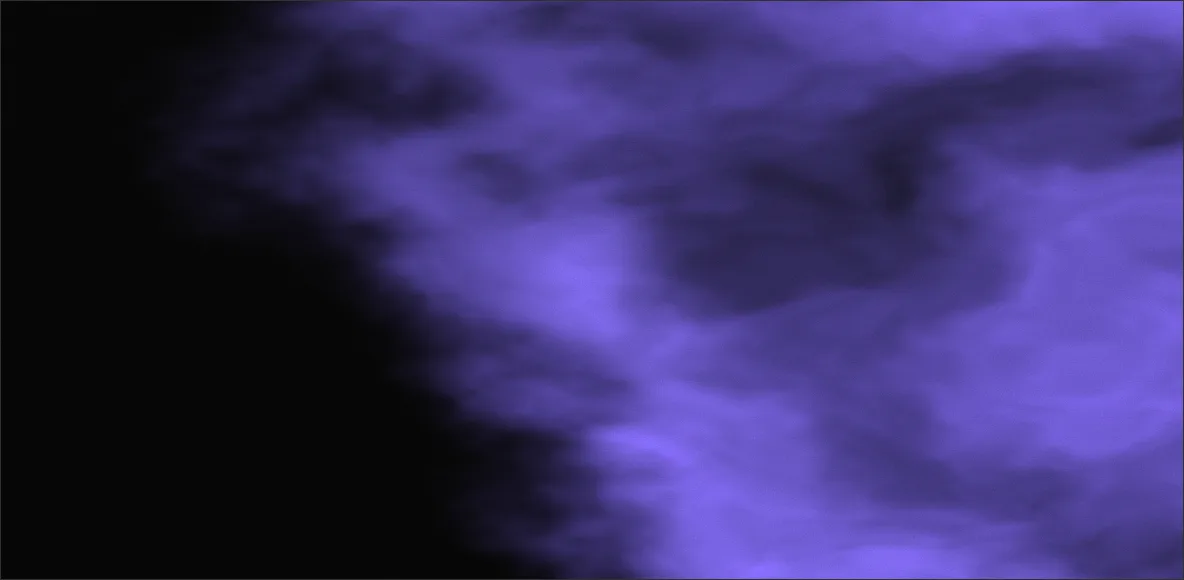
Every transition on this site is the same shader, and it has no edge at all.
A page transition needs a shape, and the usual answers are a slide, a wipe, or a fade. All three announce themselves as software. A slide has a straight leading edge. A wipe is straight everything. A fade has no edge to look at, which is why it reads as nothing happening, slowly.
What the menu does instead is spend one smoothstep on a noise-displaced distance field. Sounds fancy. It's four lines. The boundary creeps instead of sweeping, and the reason it feels like a material giving way rather than a shape being drawn comes down to one decision: the noise gets added to the field, not to the threshold. More on that below, because it's easy to put it in the wrong place and stare at the result wondering why it looks cheap.
A field, not a shape
The mask starts life as a plain distance from the corner the transition opens from. Normalise it by the box's own diagonal so the far corner lands at exactly 1, and correct x by the aspect ratio while you're in there. That one multiply is easy to skip, and skipping it ships broken: the front turns into an ellipse on any wide window, and you'll never notice on the square-ish window you develop in.
// the mask: distance from the corner, normalised so the far corner lands at 1.0.
// the aspect correction keeps the front circular on a wide window
vec2 dd = (uv - vec2(1.0)) * vec2(uAspect, 1.0);
float field = length(dd) / length(vec2(uAspect, 1.0));

// noise goes on the FIELD, not the threshold, so each point on the boundary
// is displaced by its own value and the edge picks up structure at every scale
float warp = (fbm(uv * uScale + uTime * 0.05) - 0.5) * uTurbulence;

// -0.35 → 1.35: the sweep overshoots both ends by the turbulence budget
float front = mix(-0.35, 1.35, uReveal);
float a = smoothstep(front + 0.15, front - 0.15, field + warp);

// a luminous rim rides the front
float rim = smoothstep(0.18, 0.0, abs(field + warp - front));
col += violet * 0.8 * rim;Why does the threshold sweep from -0.35 to 1.35 instead of 0 to 1? Because the noise needs room. The warp pushes the boundary around by ±0.18 before the front has even started moving, so the sweep has to begin entirely off the near corner and finish entirely past the far one. Run it 0 to 1 and the reveal visibly starts mid-box, then ends with a fringe of pixels in the far corner that never convert. I think of the overshoot as the turbulence budget.
Why the noise goes on the field
There are two places to put the noise, and only one of them works. Perturb the threshold, smoothstep(front + n, front - n, field), and every pixel on the boundary moves by the same amount at the same moment. The edge stays a circle. It just breathes a bit. Perturb the field instead and each point on the boundary is displaced by its own local noise value, so the edge inherits every scale the fbm has: continents from the first octave, foam from the fifth.
The colour underneath is the same trick pointed at a different quantity. Instead of shading by fbm(uv), displace the sample point with another fbm first. Domain warping. One extra evaluation per pixel, and it's the entire reason the plasma curls and folds instead of looking like a cloud texture.
// the plasma: domain-warped fbm (displace the sample with fbm, then shade with fbm)
vec2 q = vec2(fbm(uv * 2.2 + uTime * 0.05), fbm(uv * 2.2 + vec2(3.1, 1.7) - uTime * 0.045));
float n = fbm(uv * 2.4 + q * 1.8 + uTime * 0.025);

vec3 dark = vec3(0.05, 0.05, 0.075);
vec3 violet = vec3(0.42, 0.34, 0.85);
vec3 col = mix(dark, violet, smoothstep(0.22, 0.9, n));
col += violet * 0.5 * pow(max(n, 0.0), 3.0);The hash matters more than the noise
The first version of this shader used the hash everyone uses: fract(sin(dot(p, vec2(127.1, 311.7))) * 43758.5453). It looked fine on the machine it was written on. On a four-year-old laptop it drew a hard diagonal seam across the entire effect.
Want to know why? That seam is the iso-line of the dot product where sin() falls off its precision cliff. The function is being asked for a precise answer at arguments in the tens of thousands, and a mobile GPU (or anything going through ANGLE on a laptop) doesn't have the mantissa for it. Dave Hoskins' hash-without-sine keeps every intermediate value small, so it renders the same everywhere.
// Dave Hoskins' hash-without-sine (MIT). The classic fract(sin(dot(...)) * 43758.5453)
// loses precision on weak GPUs and draws a diagonal seam across the effect. This doesn't.
float hash(vec2 p) {
  vec3 p3 = fract(vec3(p.xyx) * 0.1031);
  p3 += dot(p3, p3.yzx + 33.33);
  return fract((p3.x + p3.y) * p3.z);
}What ships
The version in the menu carries two things the demo doesn't. It renders at 75% of CSS resolution and ignores the device pixel ratio entirely, because five octaves of fbm per pixel is the expensive part and a soft dissolving front doesn't need retina sharpness. Nobody has ever noticed. And its turbulence is wired to your scroll velocity at the moment you navigate, so leaving a page at speed tears the edge harder than leaving it at rest.
// ---- organic dissolve mask, creeping from the top-right corner ----
vec2 dd = (uv - vec2(1.0)) * vec2(uAspect, 1.0);
float field = length(dd) / length(vec2(uAspect, 1.0));   // 0 at top-right → 1 far
// organic drifting edge. turbulence scales with scroll energy at navigation
float warp = (fbm(uv*4.0 + uTime*(0.05 + uEnergy*0.14)) - 0.5) * (0.36 + uEnergy*0.5);
float front = mix(-0.35, 1.35, uReveal);
float a = smoothstep(front + 0.15, front - 0.15, field + warp);
// luminous violet rim riding the creeping front
float rim = smoothstep(0.18, 0.0, abs(field + warp - front));
col += violet * 0.8 * rim;

// screen-blended film grain, whisper quiet: louder reads as TV static
float gr = hash(gl_FragCoord.xy + uTime*40.0);
col = 1.0 - (1.0 - col) * (1.0 - gr * 0.022);

gl_FragColor = vec4(col * a, a);   // premultiplied alpha
The alpha is premultiplied on the way out, vec4(col * a, a). Get that wrong on an overlay compositing over live page content and you grow a bright halo along exactly the edge this whole effect is about. No amount of tuning removes it, because it's a compositing bug, not a taste problem.