Skip to content
Case study — 02 / 05 · index

FM Auditor

An iPhone app that turns a facilities site walk into the finished report, before you leave site.
Project
FM Auditor
Role
Design, build and release, solo
Status
iPhone, in TestFlight beta
Live
FM Auditor · the film
01Overview
ProductFM Auditor
SectorFacilities management, field audits
Year2026
ScopeiPhone app, sync backend, AI review, website
TeamSolo, from spec to App Store Connect
Description

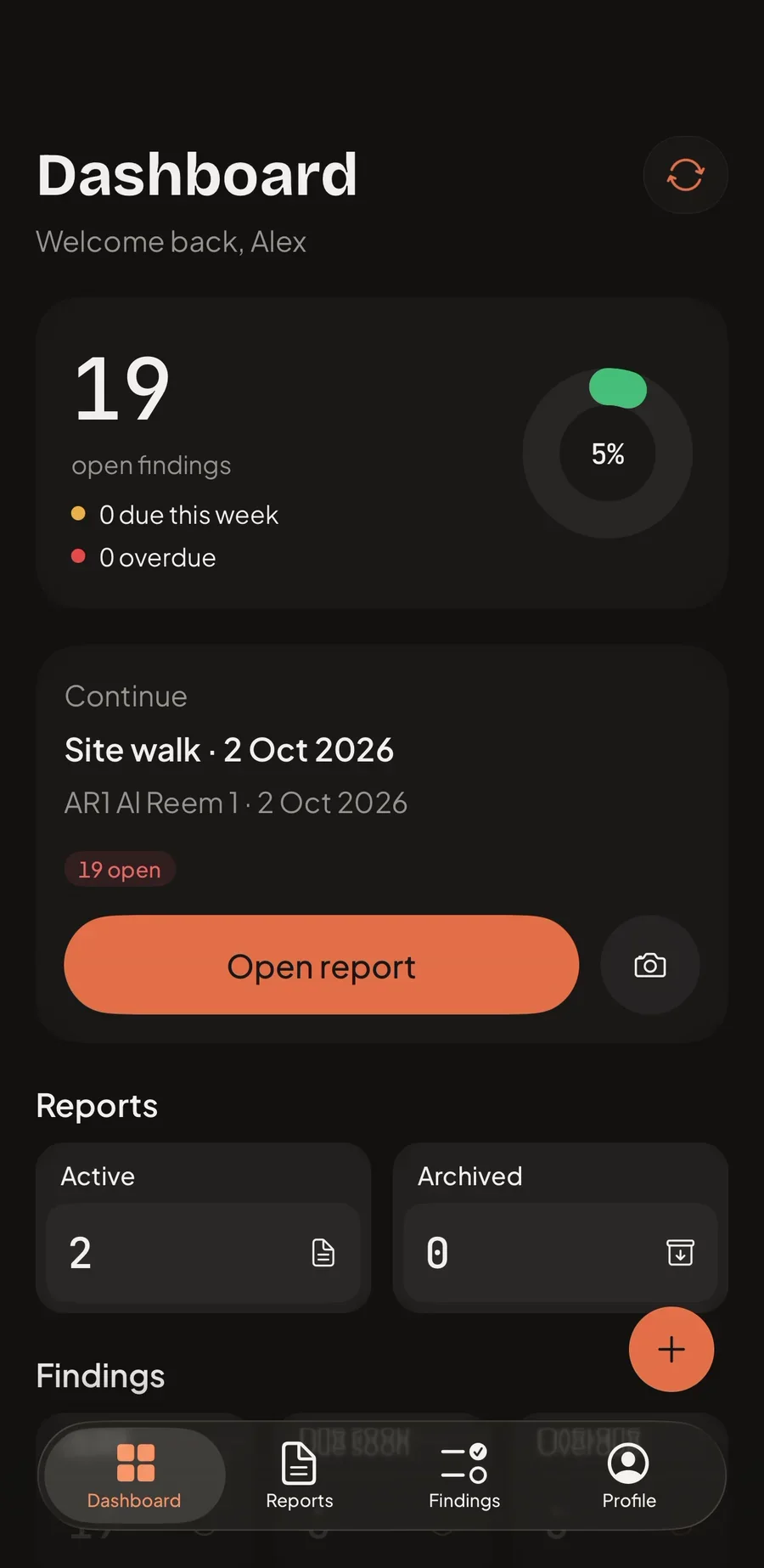
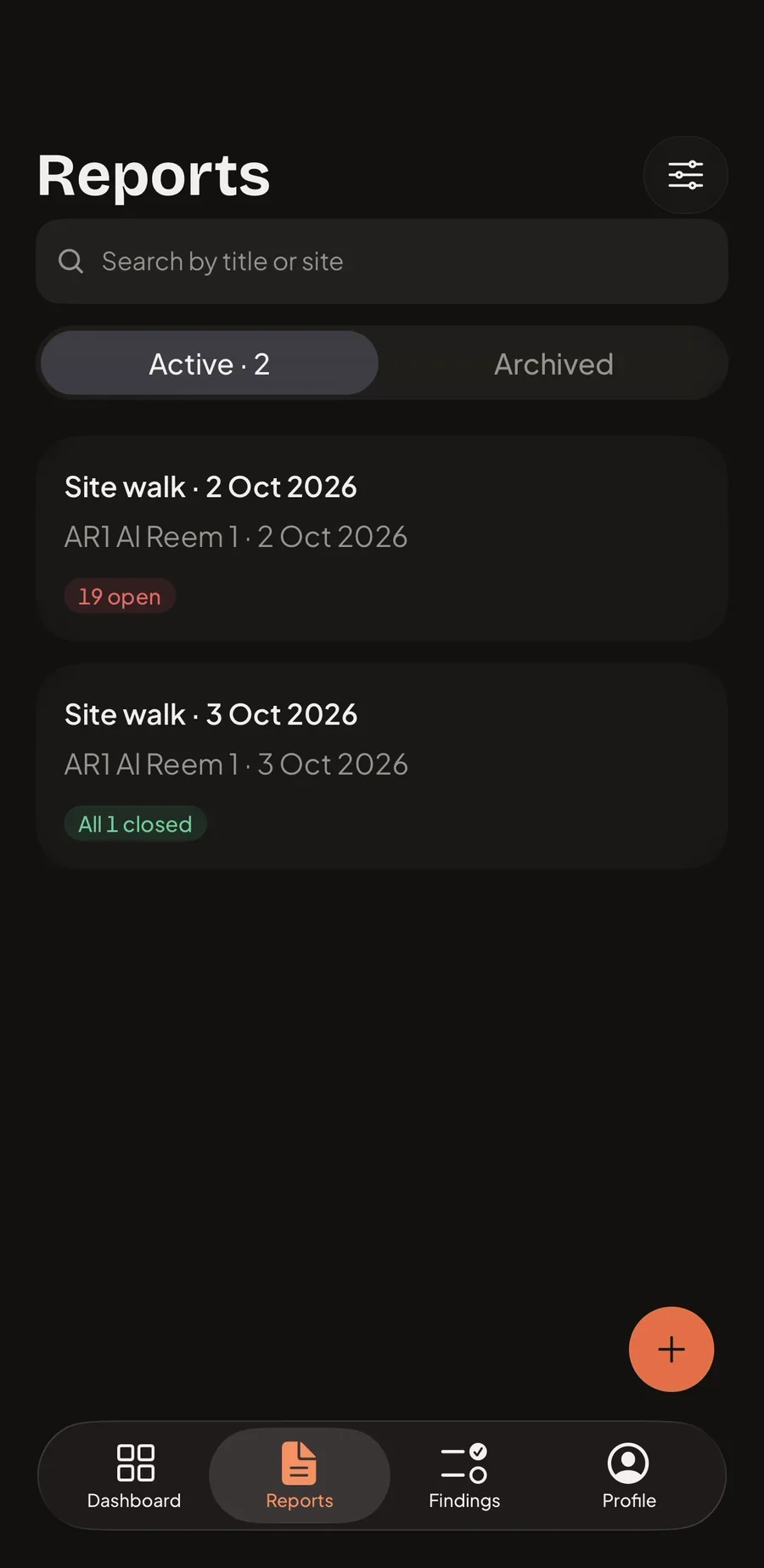
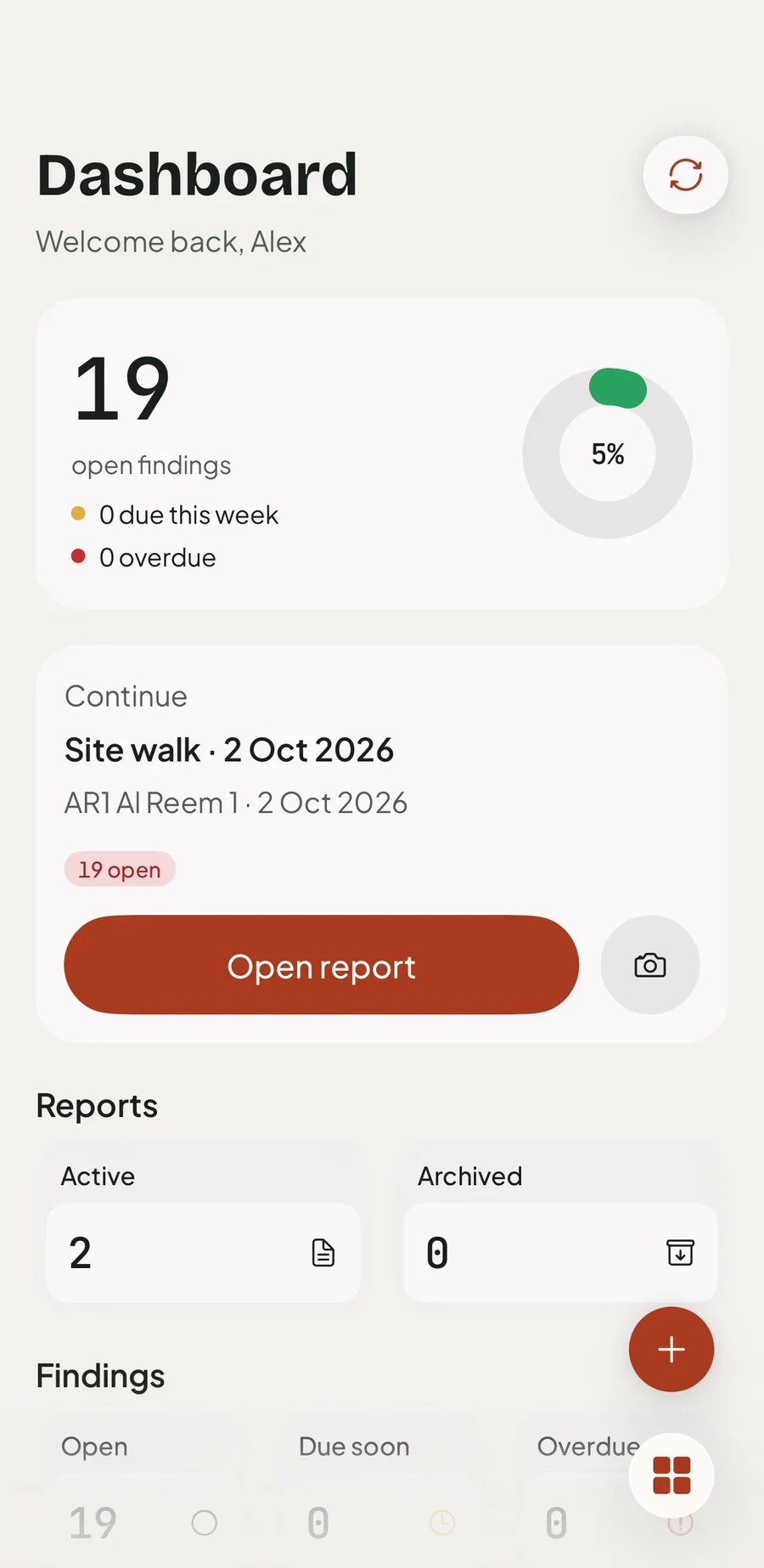
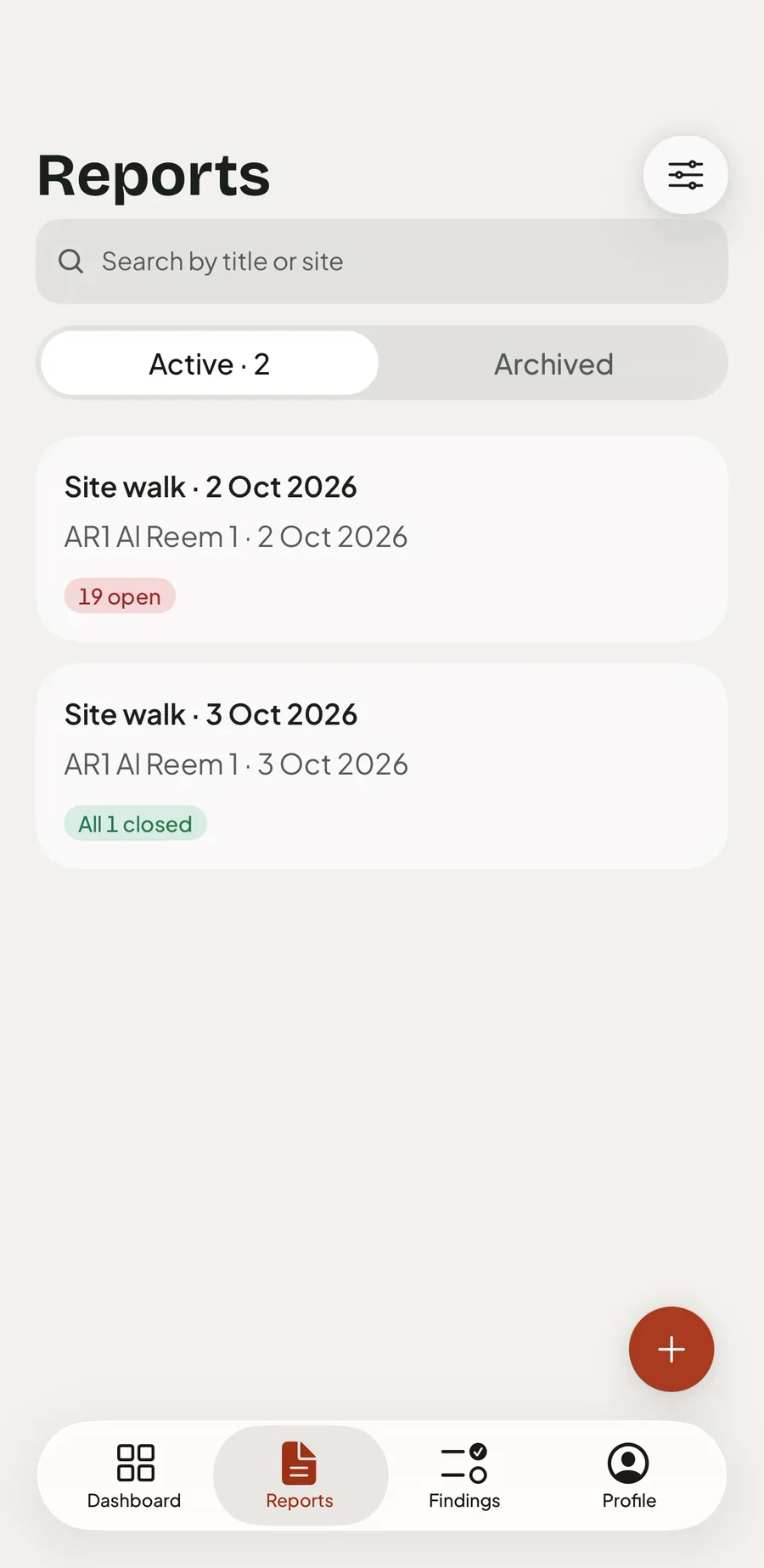
FM Auditor is a site audit app for facilities management professionals that finishes the report where the findings are: on site, on the phone, with or without signal.

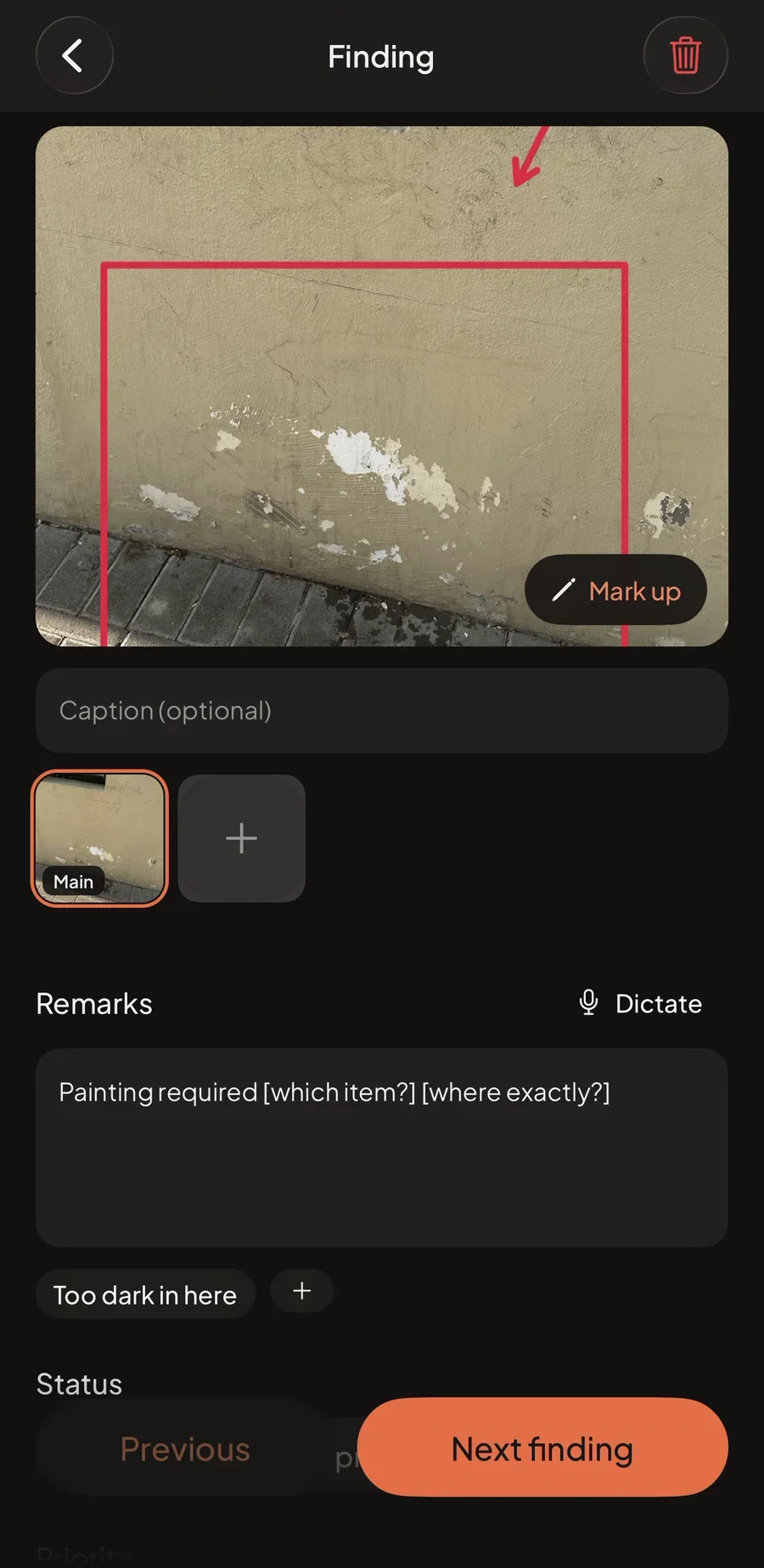
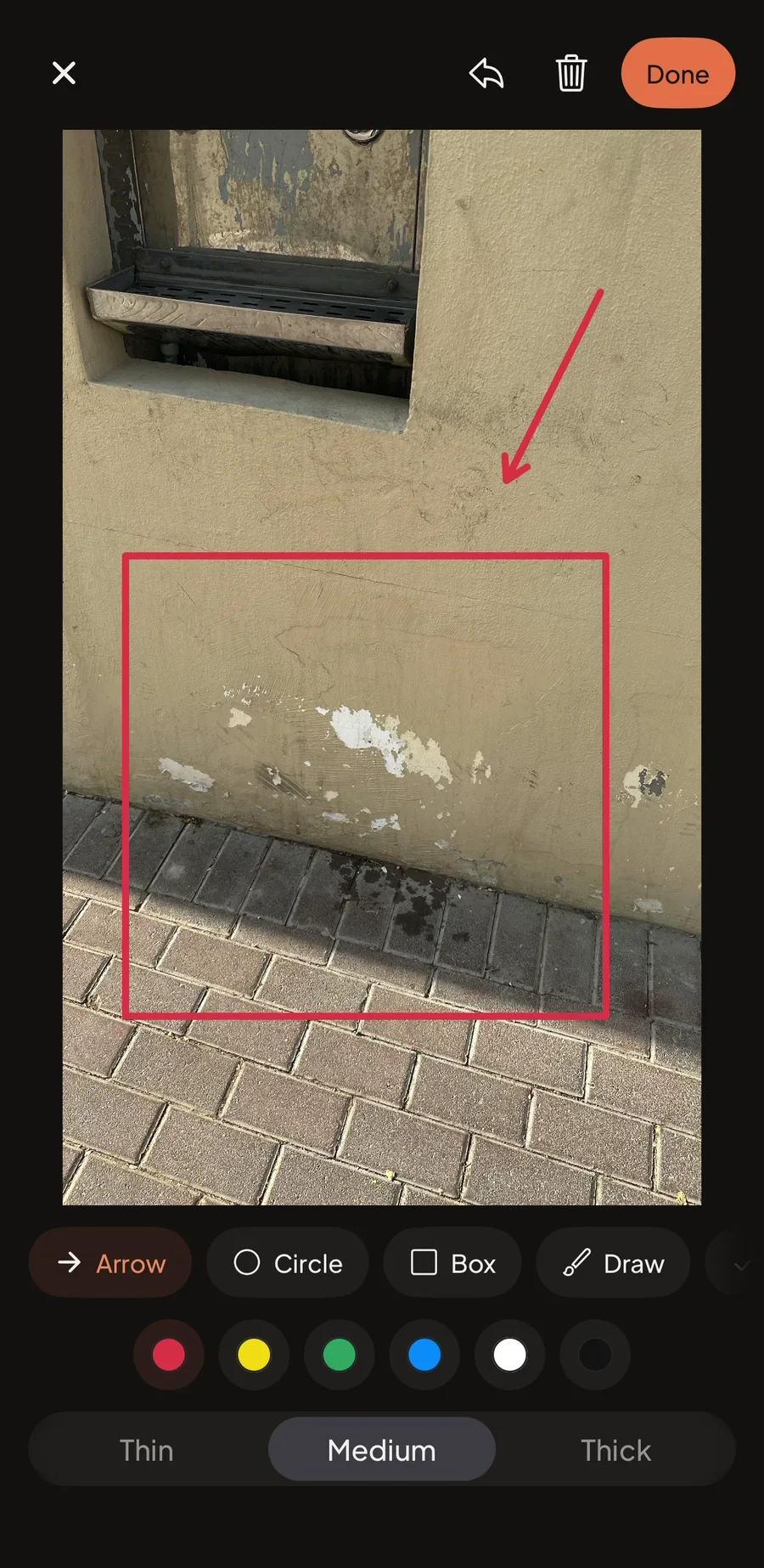
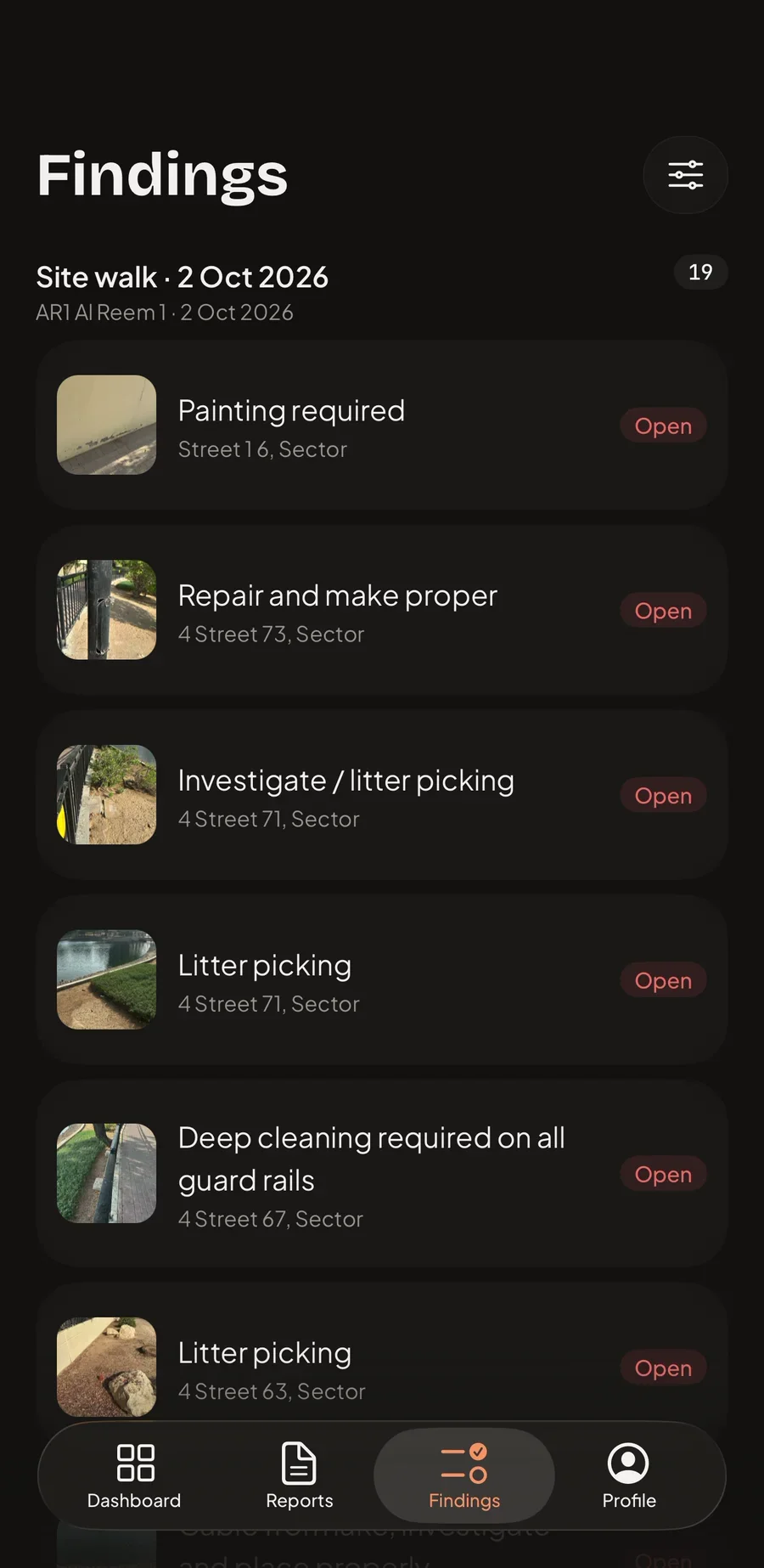
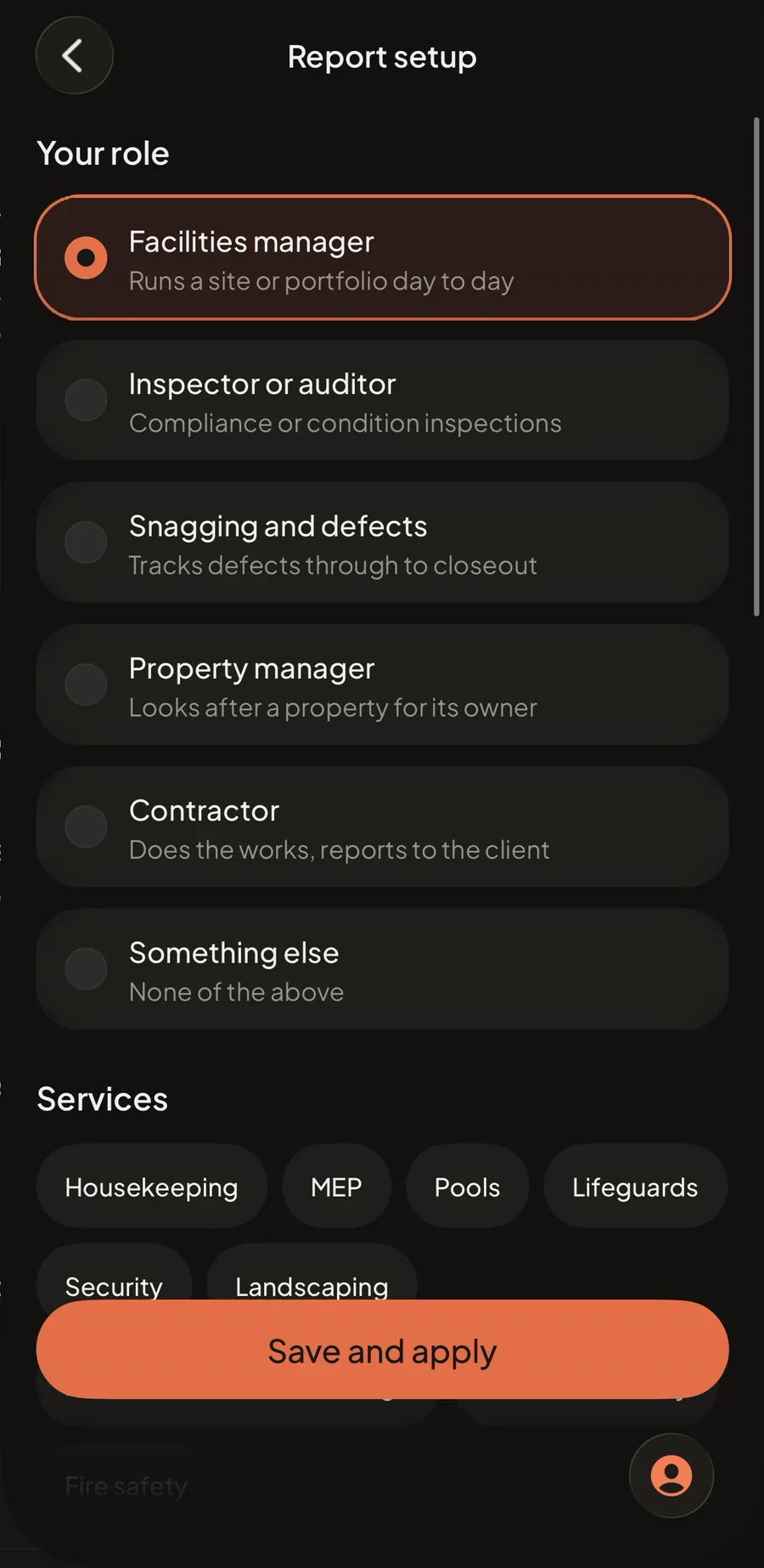
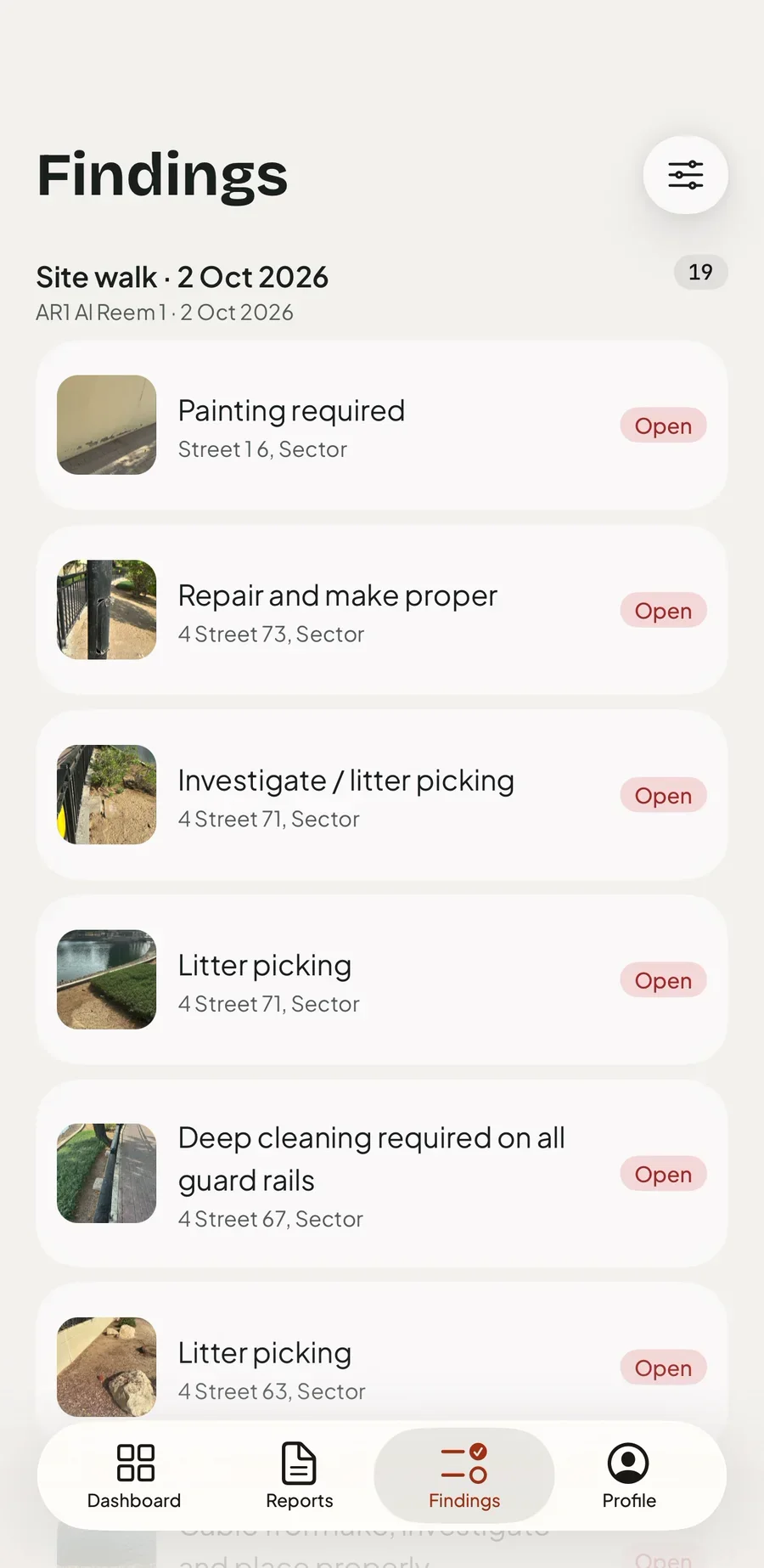
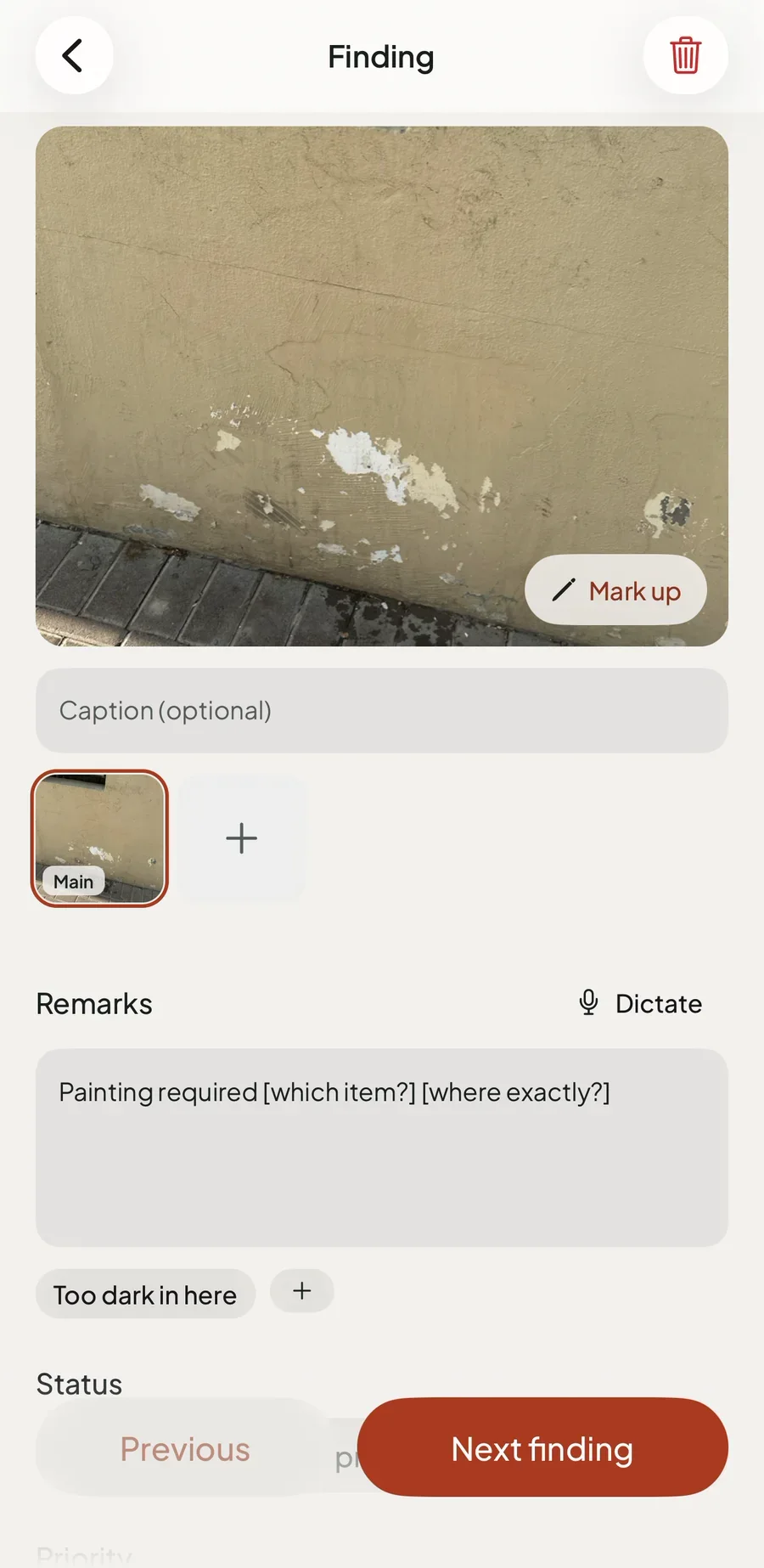
A report is a walk. Every photo becomes a finding the moment it is taken, with remarks dictated on the device, a grade from the scale the job uses ( Priority, Non-conformance, Electrical C1 to C3, Condition A to D or RAG ), an assignee, a due date and a pin on the map from GPS or the photo's own location. Markup sits over the photo as vectors, so the original image is never altered, and ready-made checklists run one swipe per item.

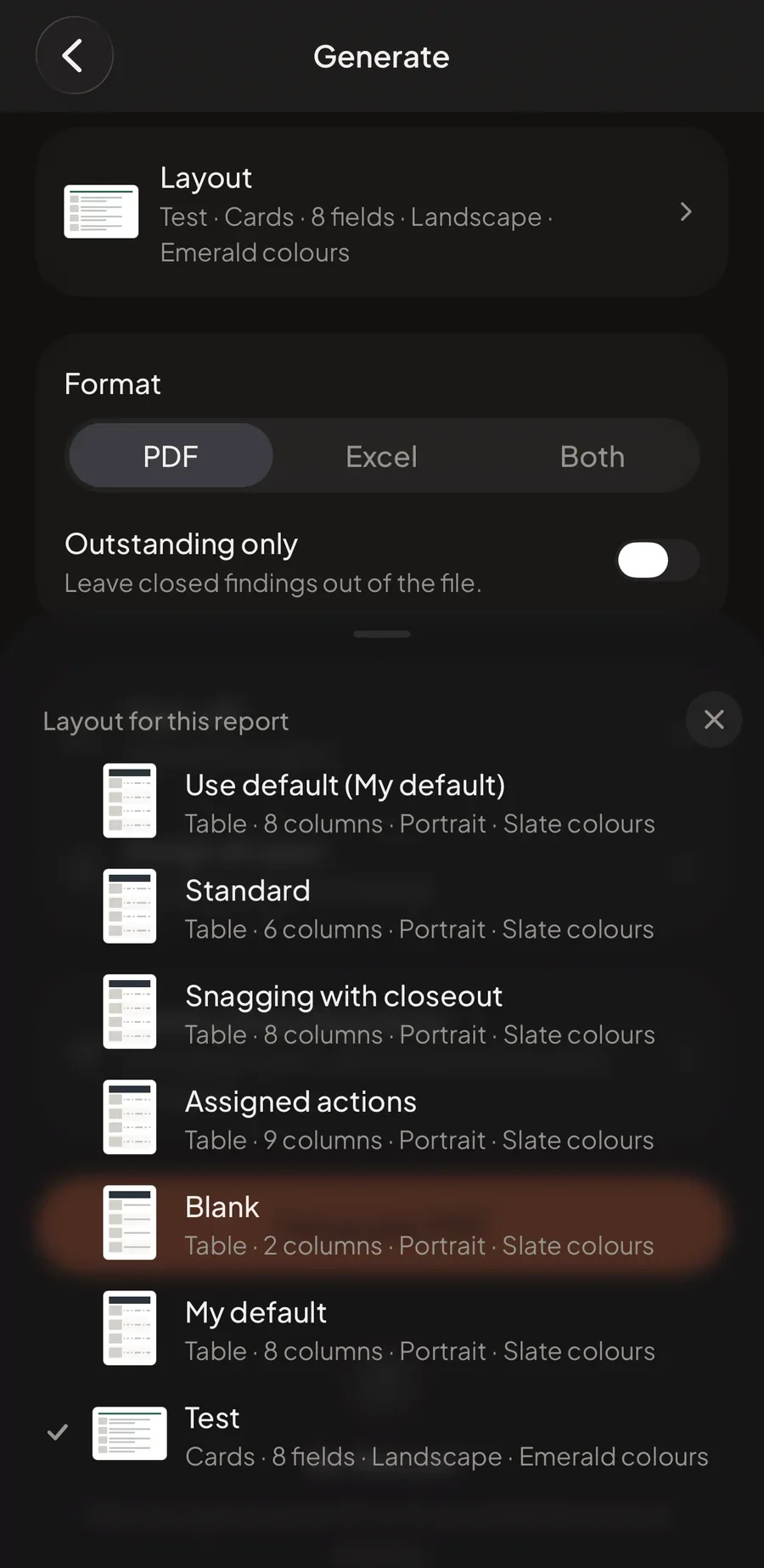
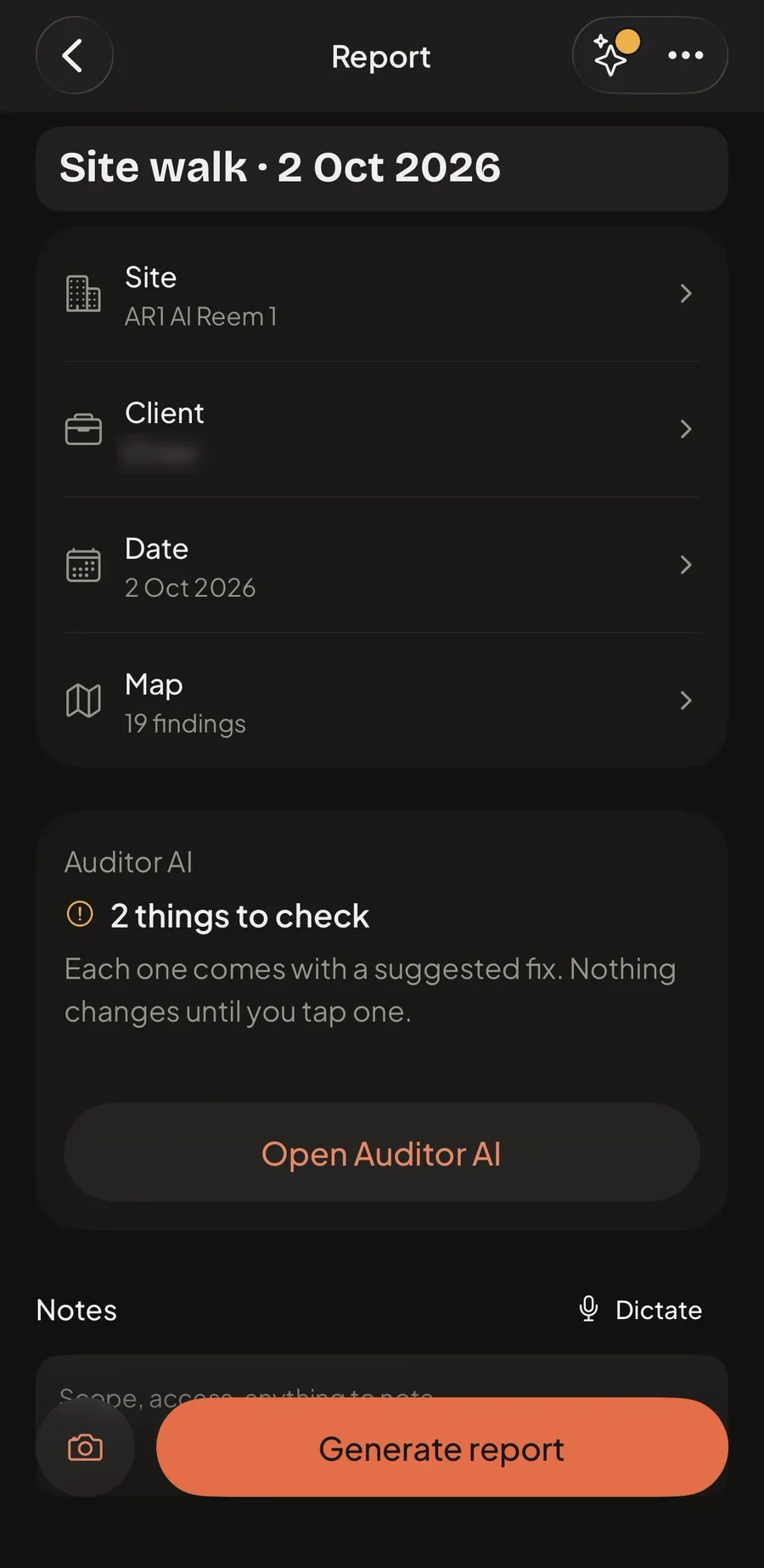
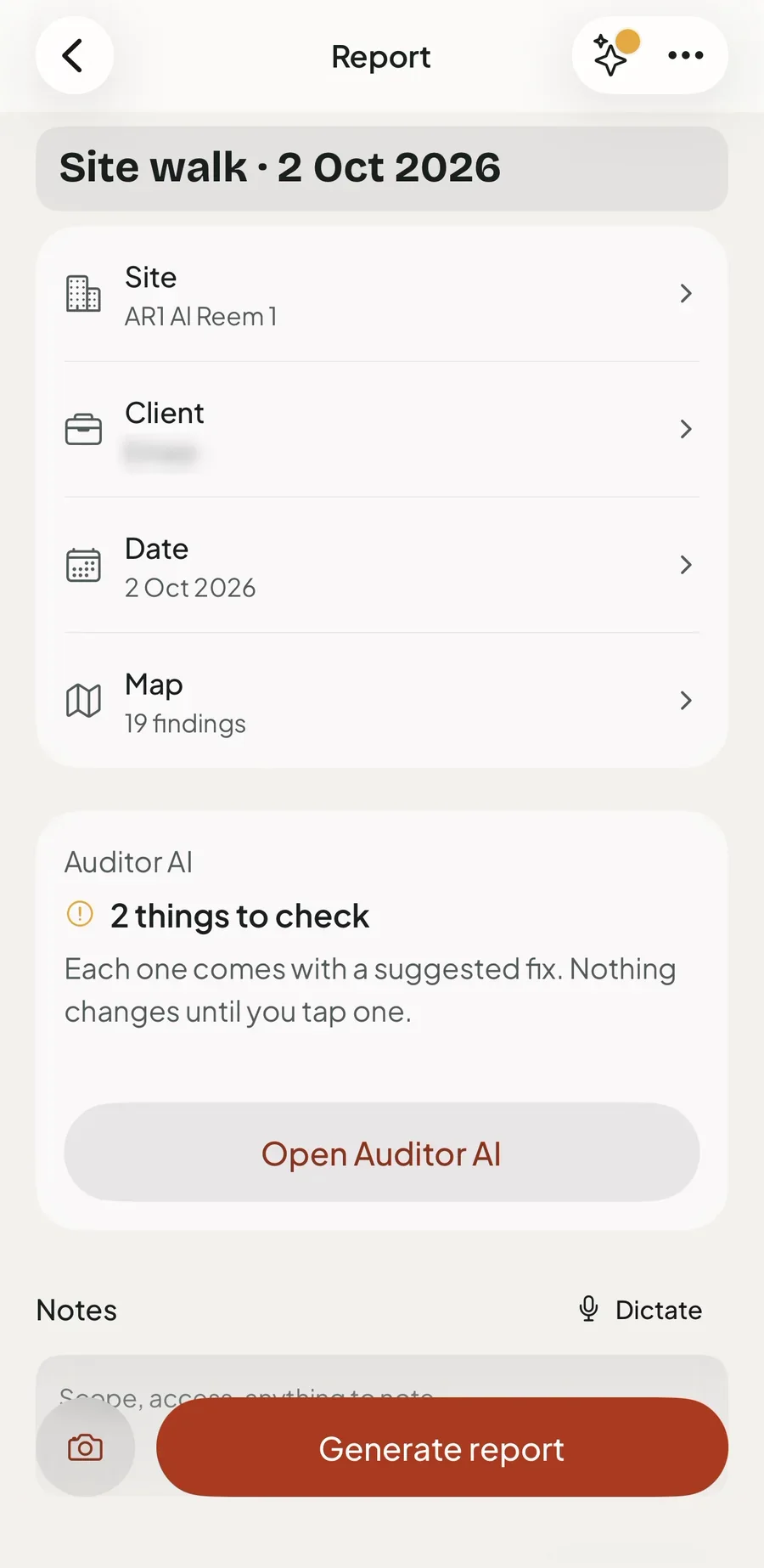
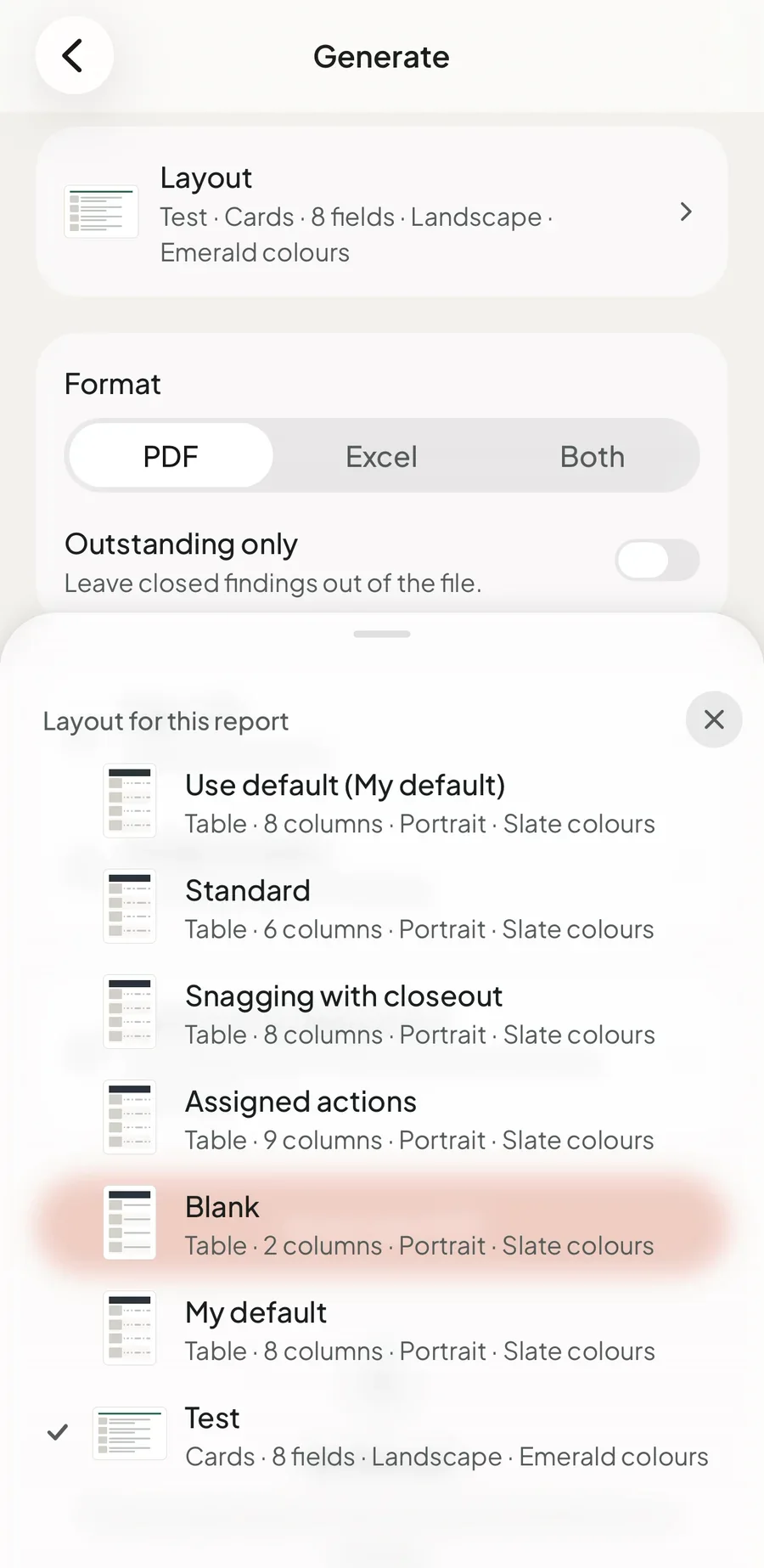
Generate turns the walk into the deliverable: one layout produces a PDF and an Excel workbook with the same rows, columns and colours, plus a cover, summary, site map, action list and a signed sign-off page. The phone is the source of truth and works fully offline. An optional account syncs to Supabase, Auditor AI reviews wording and gaps for Pro subscribers when asked, and fmauditor.app carries the launch, the roadmap and support.

Facilities audits get done twice: once on site with a camera, then again at a desk, rebuilt in Excel and PowerPoint. I built the app that does it once.

02The gap
Audit tools either charge per seat for checklists or print a fixed PDF. Neither finishes the report on site.
On site
01

A report in the client's layout

A fixed theme, or a template builder priced per seat.

Layouts the auditor edits: table or cards, the columns, the colours, the cover and the sign-off.

02

The same findings in PDF and Excel

A PDF for the client, then the spreadsheet rebuilt by hand.

One layout produces both files, held to the same rows and columns by a test.

03

Offline that never loses work

Sync that expects signal in plant rooms, basements and car parks.

The phone is the source of truth. Sync catches up later and never strands a photo.

04

Re-inspection on the phone

Start a new report, then compare the two by eye.

Walk again brings back every open finding with its last photo and produces a delta report.

Flagship · the finished report

The report, finished on site.

Capture, mark up, grade and sign off in one pass, then generate the PDF and the matching Excel on the phone, with no signal needed. The layout is chosen once and both files follow it to the column, so the client reads a report and the contractor works from a spreadsheet that agrees with it.

FM Auditor · dark theme
03Key components
Product
01

Capture and markup

A multi-shot camera makes every photo its own finding, so a walk is captured at walking pace and written up after. Markup is drawn with Skia and stored as vectors over the photo rather than burned into it, so the original stays evidence and any mark can be moved, recoloured or removed. Blur, exposure and duplicate checks flag a weak photo before it reaches the report.

System
02

Offline-first sync

The phone is the source of truth: SQLite through Drizzle, fully usable signed out. Sync is hand-rolled so it can make promises. It pulls before it pushes, pages on a cursor the server stamps so a wrong device clock cannot skip a row, and settles conflicts with last-write-wins inside one server function. A photo row never travels before its file, so no device ever receives a finding pointing at an image that is not there.

Output
03

One layout, two identical files

The PDF and the workbook come from the same layout the auditor edits. The PDF is rendered from HTML and finished with pdf-lib for page numbers and footers; the workbook is built with ExcelJS. A contract test holds both to the same rows, text and column order, because the client reading the PDF and the contractor working the spreadsheet must be looking at the same report.

Product
04

Map, route and Walk again

Every finding is pinned from GPS or the photo's location data and can be dragged to where it belongs. The report map clusters them, and an optional recorded route shows the path the walk took. Walk again re-inspects a site: each open finding returns with a ghost of its last photo, is marked verified, still open or worse, and the result is a delta report instead of a fresh one.

AI
05

Report check and Auditor AI

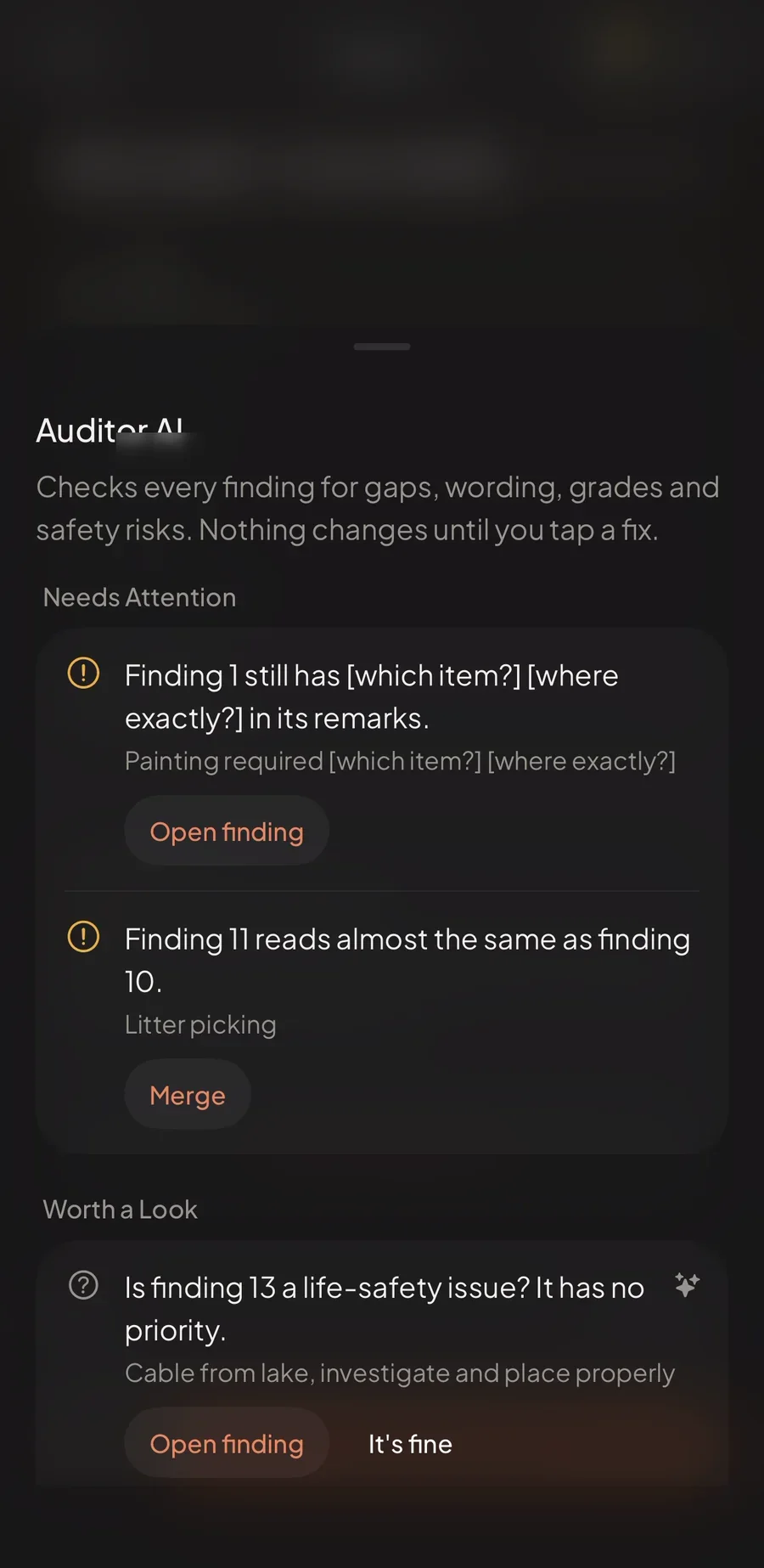
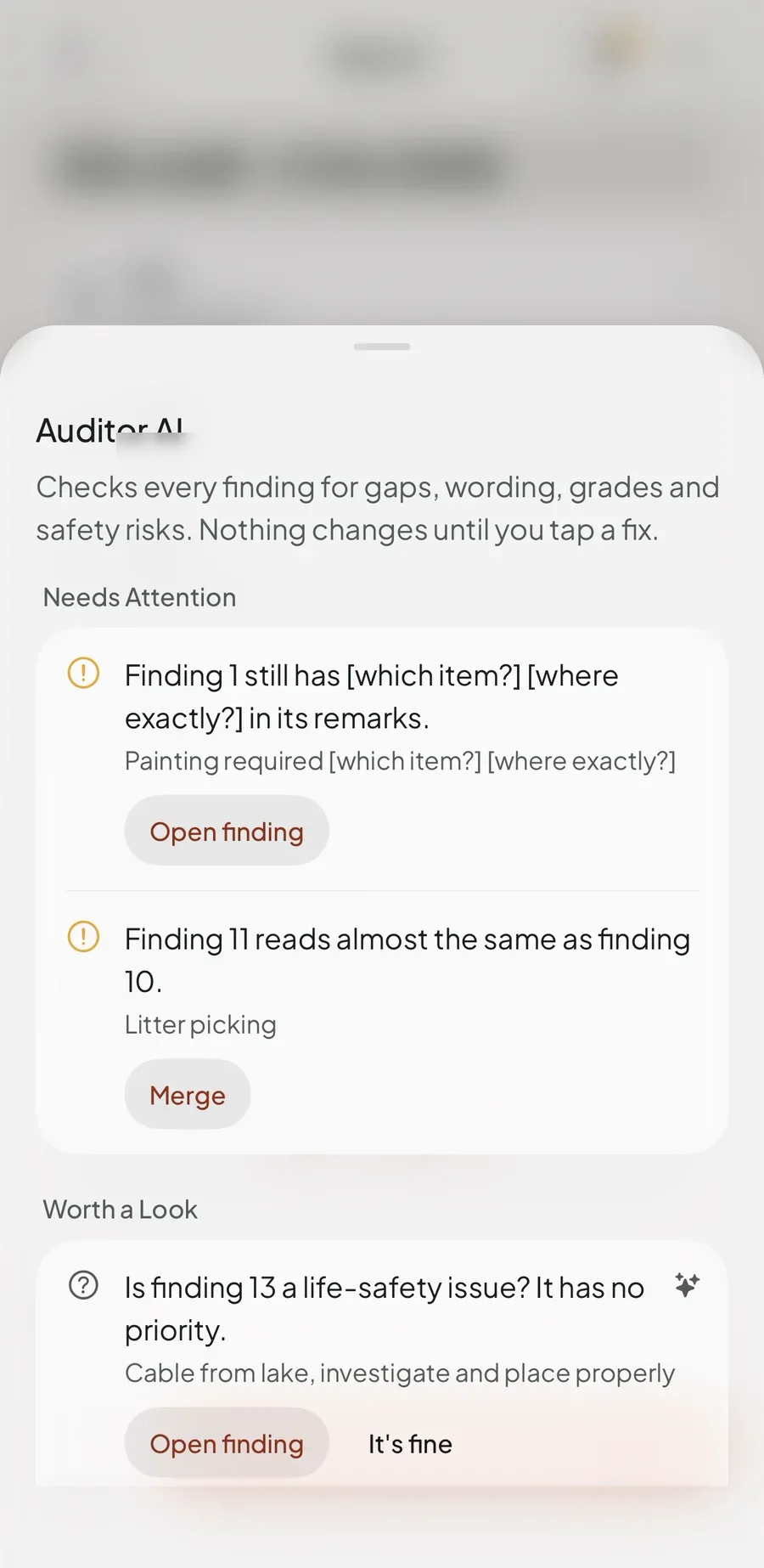
Report check is free and runs on the phone: missing pins, empty remarks, high-priority findings with no owner. Auditor AI, for Pro, reads every finding for gaps, wording, grades and safety risk, but only when the auditor asks, and nothing changes until they accept a fix. The provider was chosen by benchmarking 52 real findings, and every account has a daily and a monthly cap.

04Design philosophy
Warm ground, one terracotta, built for a gloved thumb.
FM Auditor tokens · warm ground, one accent☾ dark
Accent
The one action that matters on each screen
--accent
#bc4c20
Success
Closed findings and finished work
--success
#239d6a
Warning
Due this week: a finding about to slip
--warning
#edb345
Danger
Open and overdue findings
--danger
#d03929
Background
The warm ground under every screen
--background
#f5f3f0
Principles
  • Capture lives in one place, under the thumb.
  • Nothing is lost silently.
  • Every text pair passes 4.5:1, in both themes.
  • Words read in glare; icons alone do not.
  • One word per thing, in plain British English.
Aa BricolageBRICOLAGE GROTESQUE · TITLES
Aa Plus JakartaPLUS JAKARTA SANS · UI
All 1 closedJETBRAINS MONO · FIGURES
05How it was built

Spec first, then the riskiest parts first. Output, sync and capture were proven before anything was polished, and the design was audited end to end before it went to testers.

20 Sep → 24 Oct 2026
  1. 20 Sep

    A teardown and a rebuild plan

    A screen-by-screen teardown of an existing photo-report app: what auditors used it for, what they worked around, and what a rebuild would have to do better.

  2. 22 Sep

    The MVP spec

    Five goals set the scope: the report finished on site in one pass with no signal, PDF and Excel identical, work photos kept out of the camera roll, nothing lost silently, and the app fully usable signed out.

  3. 24 Sep

    The riskiest parts first

    Market research, then the Excel output and the contract test that ties it to the PDF, the Supabase sync engine and Skia markup.

  4. 25 Sep

    Built for the field

    Several photos per finding, grading scales, sites and areas, checklists, sign-off, dictation, share links that expire, and Walk again.

  5. 1 Oct

    Maps, and builds for field testing

    Pins, clustered maps and a recorded route, with EAS build profiles and over-the-air updates so a fix found on site could ship without a new binary.

  6. 3 Oct

    A sync gate and an error system

    A Welcome back question before any sync, so a phone holding another account's data is never pushed blindly, and coded errors that say what happened and what to do.

  7. 8 Oct

    AI chosen by benchmark

    Two providers ran against 52 real findings. The one that read photos better on the hard cases became Auditor AI.

  8. 10 Oct

    App Store Connect

    The icon and launch screen, the App Store record, monthly and annual subscriptions, and server-side checks on Apple's signed transactions.

  9. 16 Oct

    A string Apple requires

    App Store Connect turned a build away for a missing motion permission string. The fix went in the same day.

  10. 23 Oct

    A 186-issue design audit

    Every screen measured against the design system, ranked by impact and rebuilt in waves: one place for Capture, findings first, grouped rows, one word per thing.

06Tech stack
Chosen so one person can ship a native iPhone app with an offline database, a sync backend and a store listing, and take it to Android without a rewrite.
Application
Expo SDK 57 + EASToolchain · builds

Native camera, location, speech and print without hand-kept Xcode projects, and cloud builds, submission and over-the-air updates through EAS, so a field fix ships without waiting on a new binary.

React Native 0.86 + TypeScriptUI · types

One codebase that renders real native views, strict types end to end, and the reason Android is a port rather than a second app.

Expo RouterNavigation

File-based routes on native tabs and stacks, so the tab bar, sheets and back gestures are the system's own rather than imitations of them.

Data and sync
SQLite + DrizzleOn-device database

The phone is the source of truth. A typed schema and generated migrations keep a database that lives on someone else's phone honest through every update.

SupabasePostgres · auth · storage

Owner-only row-level security on every table, a private storage folder per user, Edge Functions for AI and the App Store, and the data kept in the EU.

The sync engineHand-rolled

Off-the-shelf sync could not promise what an auditor needs: a server-stamped cursor, last-write-wins decided on the server, and no photo row before its file.

Design system
HeroUI Native Pro + UniwindComponents · tokens

Accessible native components restyled through one token sheet, with Tailwind classes on React Native, so both themes resolve from the same values.

Reanimated 4 + SkiaMotion · drawing

Springs that stop under Reduce Motion, and a GPU canvas for markup that stays smooth while drawing on a full-size photo.

Bricolage, Plus Jakarta, JetBrains MonoType

Bricolage Grotesque for titles, Plus Jakarta Sans for everything read, JetBrains Mono for every figure, so counts and dates always look like data.

Release and quality
App Store Connect + StoreKitRelease · subscriptions

TestFlight, the listing and the Pro subscriptions, with Apple's signed transactions verified on the server against Apple's root certificate rather than trusted from the phone.

Auditor AI serviceEdge Function

AI sits behind a server function that holds the key, caps every account by day and by month, and keeps a cost ledger, so the app never talks to a model directly.

Vitest + SentryTests · crashes

Over 5,600 tests run in Node, including contrast and copy rules that fail the build, and Sentry catches what tests cannot, with personal data scrubbed on the phone first.

07Gallery
16 frames · click any to view full
08What's next

iPhone first. Android next.

FM Auditor has been React Native and Expo since the first commit, so Android is a port of the same codebase rather than a second app. What is left is specific, and it is listed in the order it will happen.

The Android port
01Maps on Android

Findings on the map need a Google Maps key on Android. On iPhone they are drawn with Apple Maps today.

02The icon and the build

An adaptive icon on the app's warm ground, and an Android build profile beside the iPhone ones in EAS.

03A closed test on Google Play

A new Play developer account runs a closed test with 12 testers for 14 days before production, so the Android beta starts with people already auditing on the iPhone app.

After that, from the public roadmap
Custom Excel templatesVoice captureFloor plansWord and PowerPoint outputContractor close-out linksTeam workspacesA web dashboard
Live site
fmauditor.app · iPhone, TestFlight beta
0 barsSignal needed to finish a report
1 → 2One layout, a PDF and an Excel kept identical
5,600+Tests, contrast and copy rules among them
Credits
Product and designAlexander Smith
EngineeringAlexander Smith
Release and App StoreAlexander Smith
WebsiteAlexander Smith
StatusiPhone, TestFlight beta
Year2026
Deliverables
  • 01iPhone app in TestFlight
  • 02Offline-first sync engine and Supabase backend
  • 03PDF and Excel report engine
  • 04Auditor AI review service
  • 05Marketing site at fmauditor.app
  • 06App Store listing and screenshot set
Tech stack
ExpoReact NativeTypeScriptExpo RouterSQLiteDrizzleSupabaseHeroUI NativeSkiaStoreKitVitestSentry
Creative Web Designer & Developer25.2048°N · 55.2708°E

AlexanderSmith

Locating the studio25.2048°N · 55.2708°E